How to Log Workouts Without Lying to the System
How to Log Workouts Without Lying to the System
Every set you log is a vote.
You vote on what your coach should program next week. You vote on whether the weight goes up or holds. You vote on whether the engine thinks you're recovered.
Log honestly and the votes pile up into a sharper, smarter program. Log sloppily, skip the RPE field, round up your reps, forget the warm-up toggle, and you train a worse version of your coach. Then you complain when the program isn't working.
Here's how to log so the system can actually help you.
Starting a session
Open the app. Today's workout is the hero card on your dashboard. Tap it.
The session timer starts. You don't manage it. It pauses if you put the app down, resumes when you come back, and stops the moment you tap Complete Workout.
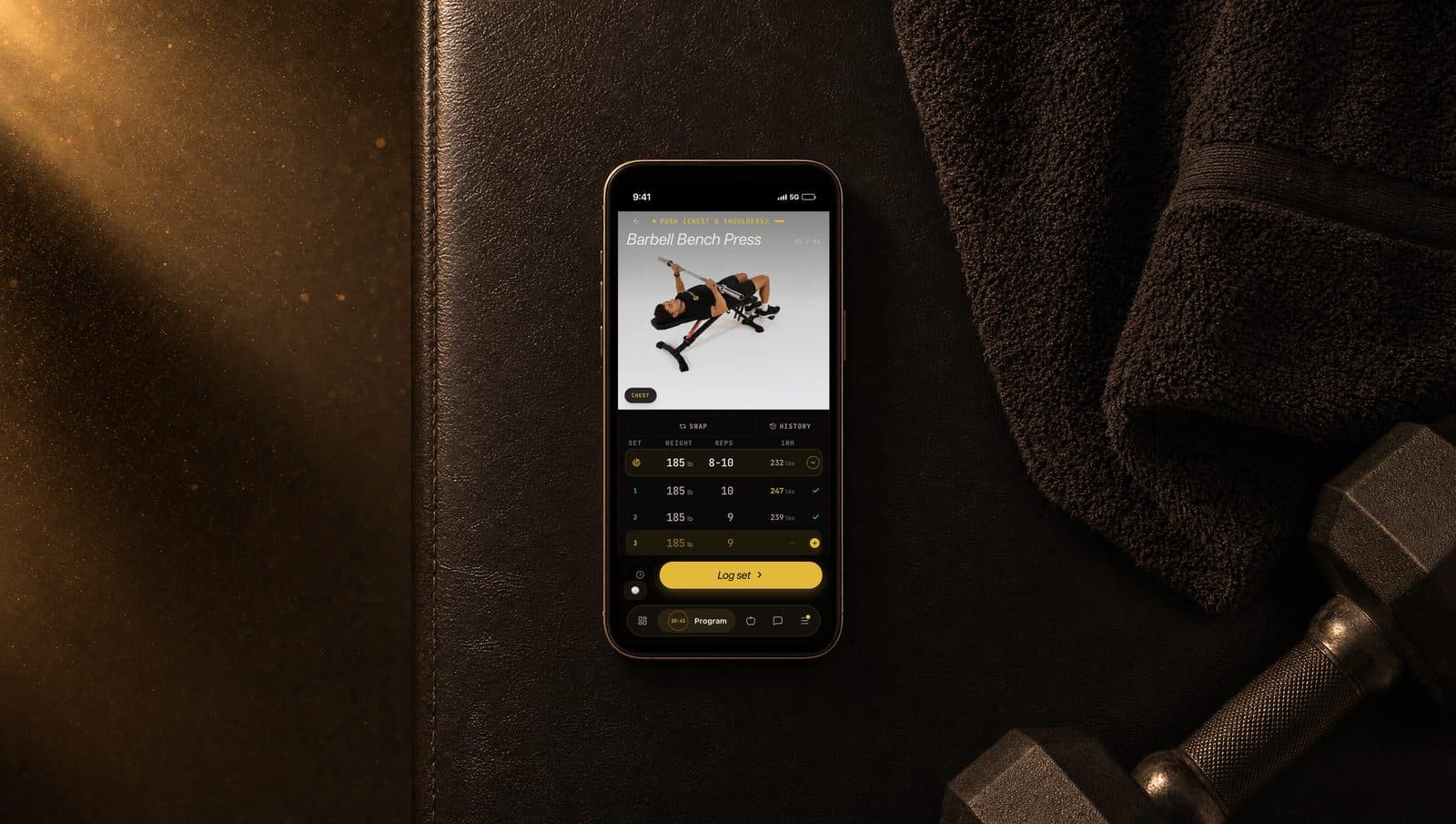
Your exercises load in order with the day's prescription on each card: target sets, rep range, target RPE. For example:
Barbell Bench Press. 3 sets x 8 to 12 reps @ RPE 8.
That's three working sets, somewhere in the 8 to 12 range, ending each set at an effort level of 8 out of 10.
Logging a set
Three fields per set: weight, reps, RPE.
Weight in pounds or kilograms (whichever you set in your profile). Reps as the number you actually completed, not the number you wanted. RPE as how hard that set felt on a 1 to 10 scale.
The moment you confirm a set, the next set queues up automatically. No extra taps. The logging flow is designed to keep you under the bar, not in your phone.
The warm-up toggle is the most ignored button in the app
Every exercise card has a warm-up toggle at the top. Most users never touch it. That's a mistake.
Warm-up sets are not the same as working sets. The toggle is what tells the system which is which.
Working sets feed progression decisions. They count toward volume. They drive personal record detection. They're what the engine reads when it decides whether to add weight next week.
Warm-up sets are tracked separately and feed nothing. They're for your CNS and your joints, not for the algorithm.
If you log a warm-up set as a working set, your volume metrics inflate. Your RPE average pulls down (because warm-ups feel easy). The engine sees an artificially inflated weekly volume with artificially low effort and concludes you're under-trained. Next week's program adds volume you don't need.
The rule: anything below your target working weight, toggle warm-up on. The moment you're at the prescribed weight with intent, toggle off and log as a working set.
One tap. It matters.
RPE in 10 seconds
After each working set, you pick a number from 6 to 10.
| RPE | What it felt like | Reps left | |-----|-------------------|-----------| | 6 | Easy. Felt warm. | 4 or more | | 7 | Solid working set. Controlled. | 3 | | 8 | Hard. Could have done two more. | 2 | | 9 | Very hard. Maybe one more. | 1 | | 10 | Failure. Could not have done another rep. | 0 |
Most of your programmed work targets RPE 7 to 9. RPE 10 should be rare. The app reads your RPE on every working set and uses it to:
- Decide whether to add weight next session.
- Decide whether to deload you when fatigue accumulates.
- Decide whether to reduce volume mid-week if you're cooked.
If you fake RPE 7 when it was actually a grind, the app raises weights you can't safely lift next week. If you log RPE 9 on sets that felt like a 6, the app pulls back when you didn't need it.
Be honest. Round down when unsure. The app doesn't punish low RPE. Low RPE means you have headroom, and the engine ramps you up faster.
Personal records are detected automatically
You don't have to test 1-rep maxes to set PRs.
The app calculates your estimated 1RM after every working set using the average of the Epley and Brzycki formulas. If your 185 x 10 at RPE 8 produces a higher estimated 1RM than your previous best, that's a new PR. The app flags it immediately with a gold badge during the session, surfaces it again in your post-workout summary, and stores it for trend graphs.
Working sets only. Warm-up sets are excluded entirely.
The first month of a new program will be PR-heavy as the engine calibrates and your loads catch up to your actual capacity. Don't get attached. The pace settles after the first calibration cycle.
The post-workout summary
The moment you tap Complete Workout, the app generates a summary card.
It includes the day's focus, total exercises completed, session duration, total volume (weight x reps across working sets), total working sets, any new PRs, your current consecutive training-day streak, and a comparison against the last time you trained this same day.
The comparison is the most useful number on the card. It tells you whether today was better than the equivalent session last cycle. Over a 6-week program, that comparison is the single best snapshot of whether you're actually progressing.
You also get a coach message inside the summary. The coach sees what you logged, sees how today stacked up, and responds in voice. Read it. It's worth more than the numbers.
Sharing your session
The bottom of the summary has a share button.
Tap it and the app generates a clean shareable image with your exercises, total volume, PRs, and duration. Designed for Instagram stories and group chats. No logo overlay. Looks like a screenshot.
Each shared card has a unique URL the app generates so anyone you send it to can view a permanent page if you want them to. You don't have to share. Just an option.
Offline mode handles bad gym signal
Most gyms have terrible signal. Basements, parking garages, dead zones near the squat rack. None of it matters.
Every set you log is saved locally first, then queued to sync the moment your connection returns. If you finish a whole workout offline, the whole workout uploads when you walk outside.
Each submission carries a stable idempotency key. If the sync fires twice (because you switched apps, came back, your network flickered), the same set won't double-log. The same workout won't double-count.
You'll see a small sync indicator when the queue is catching up. Once it clears, everything's on the server.
Five rules for clean logs
Log each set right after you complete it. Filling everything in from memory at the end of the workout produces wrong numbers. Wrong numbers train a worse coach.
Be honest with RPE. Round down if unsure. Low RPE doesn't make you look weak in the data. It tells the engine you have room to push.
Use the warm-up toggle. Single highest-leverage tap in the app for keeping your metrics clean.
Log what you actually did. Cut a set short? Log the reps you hit, not the reps you planned. Partial data beats missing data.
Check your units. Lbs vs kg mix-ups break every downstream calculation. Set your unit in your profile once and trust the input field.
What to do next
Open today's workout. Hit Complete Workout when you're done. Read the coach message in the summary.
If you've been logging sloppily for the last few weeks, fix it starting today. The engine adapts within one full week of accurate data.